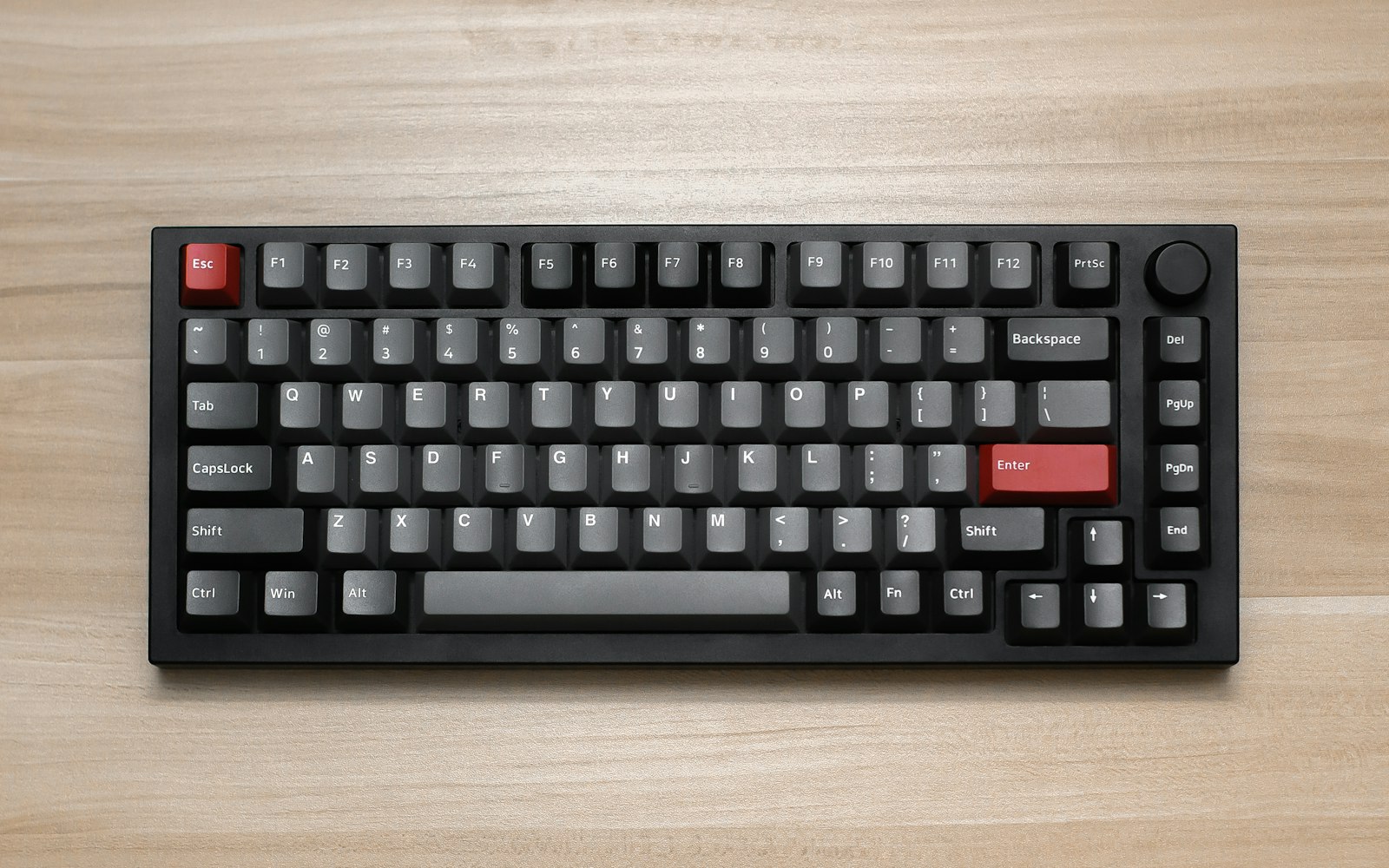
A 75% keyboard keeps the function row and the arrow keys but drops the number pad and squeezes everything else together. I used one as my only keyboard for a month to find out whether the space it saves is worth the habits it breaks.
The first week
I missed keys constantly. Home, End and Delete live in a narrow column on the right, and my hands kept reaching for where they used to be. By day five the new positions had stuck.
The rest of the month
The narrower board means the mouse sits closer, which my shoulder noticed within a week. The mechanical switches give each press a clear, consistent point where it registers, and I made fewer mistakes in long pieces of writing.
The downsides are real: no number pad for spreadsheets, and the sound, which my neighbours in the office noticed before I did. But for someone who writes all day, it is the most comfortable keyboard I have used.
















Which switches did you go for? Linear or tactile?
Kai, tactile. Linear felt great for games but I mistyped more in long documents.
The missing number pad was the dealbreaker for me, I do a lot of spreadsheets.
Got one after reading this, no regrets.
My wrists thank compact keyboards every day.